Build a meeting corner people can find and approach
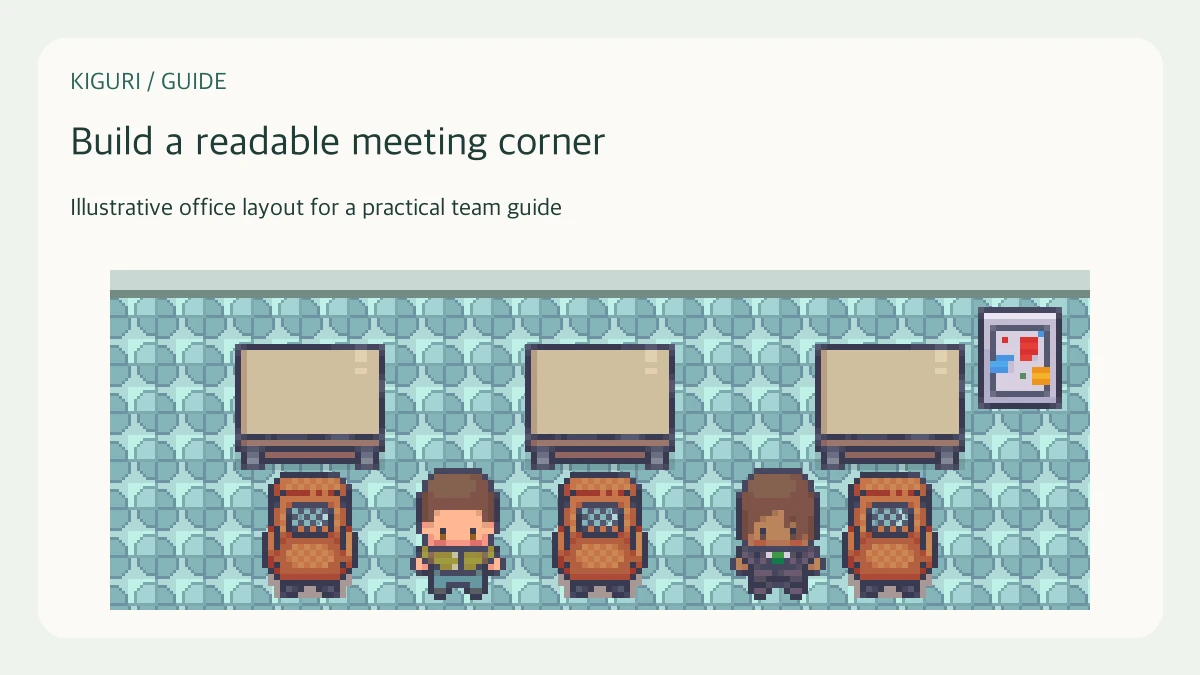
A meeting corner needs more than a table. Participants must recognize it, reach it, and understand where to gather. This guide treats the corner as a spatial arrangement for a short review. It does not assume the furniture automatically starts a call or reserves the area.
Plan for a specific conversation
Picture three people reviewing a proposal rather than designing for every possible meeting. Choose whether the visual focus is a table, a board, or an open standing area. Use that decision to set the furniture arrangement. Combining a large table, several boards, and a presentation stage in one small corner can make the main purpose difficult to recognize.
Make the approach visible
Leave the side facing the office route open. Put tall plants and cabinets at the back or outer edges, where they help frame the destination. Avoid an entrance gap hidden behind a chair back. Walk toward the corner from the usual arrival direction and check that the gathering space becomes visible before the character reaches its narrowest approach.
Arrange seats around the actual focus
Place seating so its orientation makes sense for the discussion. Keep a usable route to each configured seat and avoid crowding a chair against the table artwork. Decorative chairs may not be interactive, so check seating behavior separately if sitting is part of your plan. An attractive screenshot should not be the only evidence that participants can use the arrangement.
Test a late arrival
Walk in after imagining the others already gathered. Is there an obvious place to approach without crossing the visual center of the meeting? Can someone leave and return without navigating behind every chair? If the corner has only one practical access point, widen it or simplify the outer furniture. Short meetings still benefit from a clear arrival and departure sequence.
Document the location without overpromising
Describe the corner using a stable landmark and an ordinary direction, such as the table beside the back window. Keep that description consistent with the view participants will see. Check the actual communication controls separately from the room layout. If a test requires an explanation for every turn, move the landmark or open the approach rather than writing a longer navigation paragraph.