Build a repeated furniture layout with deliberate spacing
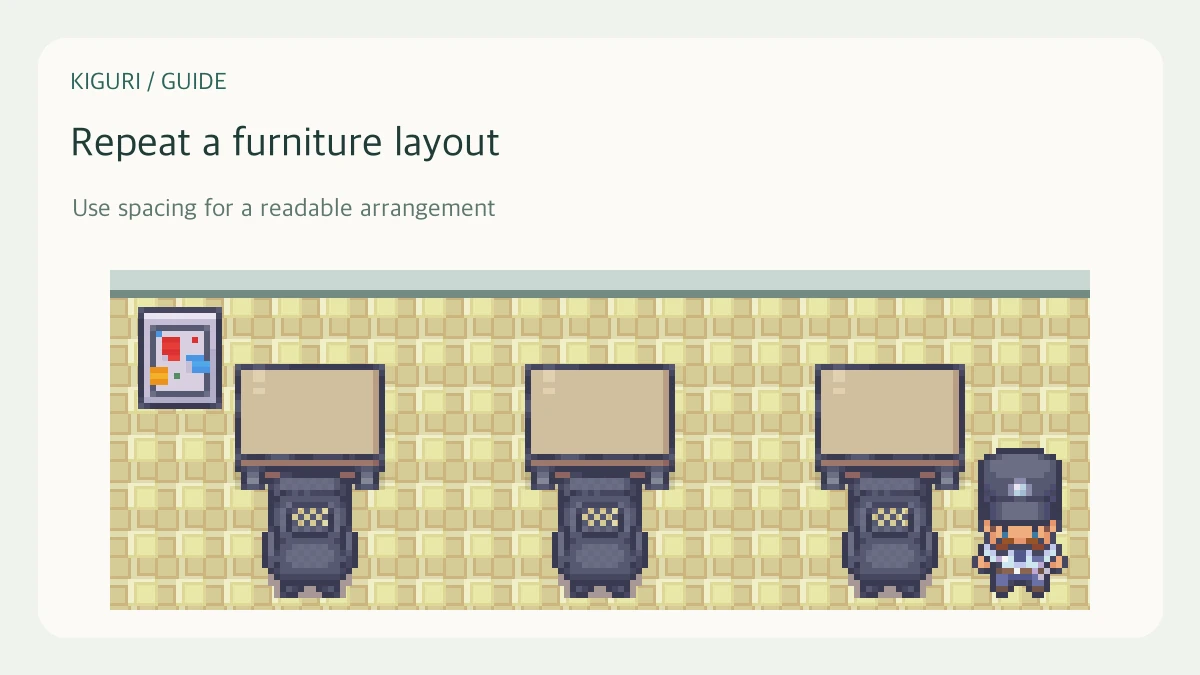
Repeated placement is useful for a line of desks, chairs, or other movable objects. It saves manual positioning, but a repeated mistake spreads just as quickly. Verify one source object before creating the row.
Prepare the source object
Open the editor with permission and select the item you want to repeat. Check its appearance, orientation, and position. If it is a seat, verify the seated pose and approach first. If it is grouped furniture, decide whether you intend to repeat the whole assembly or edit its pieces separately.
For a desk row, begin with one desk in the intended passage relationship rather than an item parked temporarily in the middle of the room.
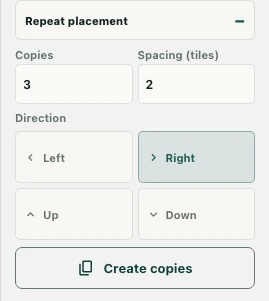
Set Copies and Spacing
Use the repeat controls to set Copies and Spacing (tiles). The fields display their supported ranges. Spacing is a tile-based layout setting, not a promise of a clear walking gap between differently sized images.
Think about the footprint of the selected item. The same spacing value can produce very different visual clearance for a small chair and a wide counter. Start with a short row so the result is easy to inspect.
Choose direction before creating copies
Select Left, Right, Up, or Down and use Create copies. Check which edge of the map the row approaches and whether it overlaps existing furniture, areas, or doors. A repeated layout can look regular while obstructing a route.
Inspect the row, then expand it
Review the result in the editor and test access in normal play. Check seating individually where relevant rather than assuming the first seat’s success proves every copied location is reachable. Correct the source or spacing before building a larger arrangement. Keep a checkpoint before the operation and save changes only after you accept the complete row.