Generate a room draft, then inspect the actual layout
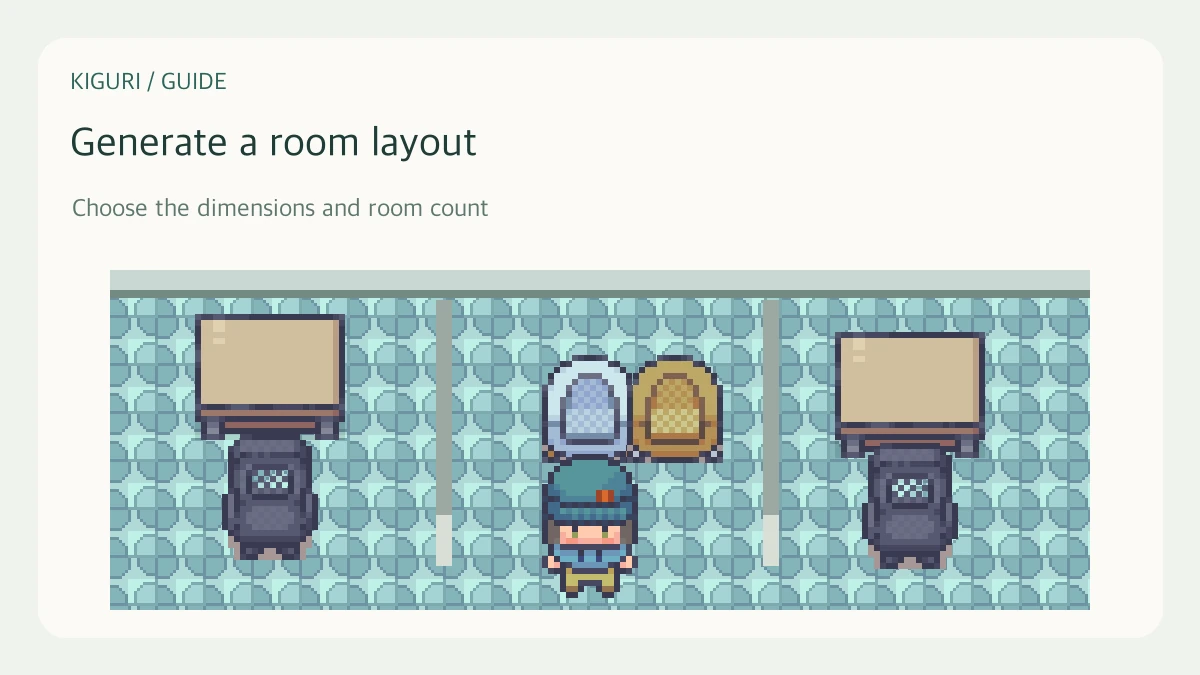
The room generator creates a starting layout, not a finished workplace. It adapts room sizes and routes to the planning inputs, and can grow the canvas when furniture needs more room. Review the generated draft before saving it.
Preserve the layout you already have
Open the map with editing permission and keep a checkpoint or exported JSON before generating. The generator explicitly replaces the local draft. That matters even if your goal is only to test a different arrangement.
For example, comparing a connected-room plan with a corridor plan should not require losing the furniture arrangement you already accepted.
Choose a realistic planning scope
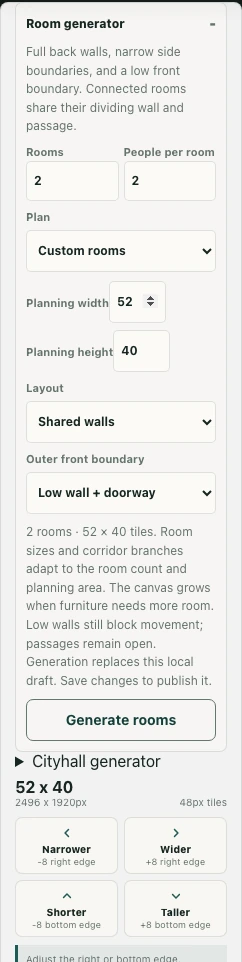
Under Room generator, set Rooms and People per room. The interface displays ranges of 1–12 rooms and 1–24 people per room. These are planning inputs, not measured attendance or a guarantee that every person can use the map comfortably.
Select Plan and check Planning width and Planning height in tiles. Read the generated room count and dimensions shown below the controls rather than assuming the final map stays exactly within the requested planning size.
Choose connections and front boundaries
Layout offers Shared walls or With corridors. Outer front boundary offers Low wall + doorway or Open to corridor. Low walls still block movement; a low visual height is not permission to walk through them. Consider how someone will reach each room.
Generate and test the draft
Use Generate rooms when its controls permit the operation, then inspect the result. Check dividing walls, openings, furniture, and circulation. Locked layers or planning issues can prevent generation, so read the state instead of bypassing it.
Leave editing mode to test routes and seats where relevant. Correct the draft with the normal editor tools, then Save changes and confirm success. A generator preview is evidence of a proposed layout, not of a completed multi-user office test.