Request entry to a blocked area and check the returned result
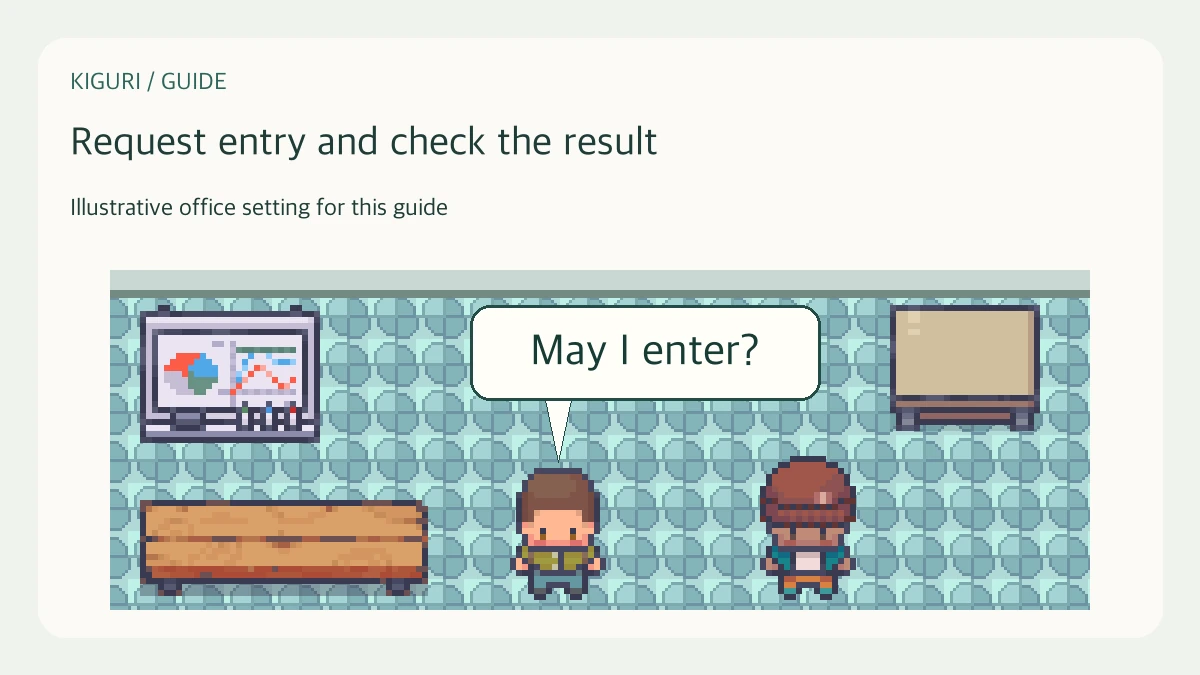
Identify the blocked area before requesting
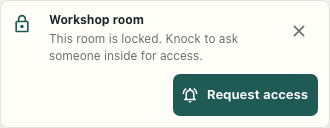
An arrival wants to enter a locked workshop room, while someone already inside can decide whether to allow that visit. Start with the actual area notice and read its name and reason. A blocked area is different from a decorative door or a portal to another map. This workflow concerns one request for the named area, rather than changing its access settings.
The interface screenshot shows the original desktop notice with a fictional Workshop room in an isolated fixture. No actual entry request, permission grant or live arrival is shown. Mobile controls were checked separately with synthetic data.
If the notice says the room has reached capacity, Request access is absent. Wait for space or agree another location; this control is not a way to bypass capacity. Some role-only restrictions also do not complete this request route, so it is not a universal remedy for unavailable access.
Request once and inspect the waiting state
Where Request access is offered, select it once. The button becomes Waiting while the interface waits for a result. Stay on the same map and keep the intended area clear; do not rely on a delayed approval after moving to a different map.
Waiting describes local interface state. It does not establish that someone received the request. A missing connection can show Unable to request access. Kiguri connection is not ready. A connection object without an active room can also leave the interface waiting without sending a request.
After the local sixty-second timeout, No one responded. Try again appears and the request action becomes available again. Check the connection and arrange a fallback with the host before repeatedly retrying. The timeout is not a server receipt or proof that a particular person ignored you.
Dismiss access notice only hides that notice locally. It does not withdraw a dispatched request, and a later result can still appear.
Let the current occupant inspect and respond
Someone inside can receive a card naming the requester and area. Read both before choosing Allow or Decline. A familiar display name alone should not replace your agreement about who should enter now.
The response must still concern a current, unexpired request and a responder inside the same area and map. It is not restricted to an administrator acting as host. A stale card can remain after someone else has answered, or after the responder has moved away.
Selecting Allow or Decline removes the local card after invoking the response command. That disappearance is not an acknowledgment that the server accepted it. Missing game or network objects leave the card with an error. Keep the arrival's returned result separate from what disappeared on the occupant's screen.
Interpret the returned result without attributing more
Access granted does not move the character, unlock the room for everyone, change membership or connect media. Separately approach the intended area and check the actual entry outcome. Capacity can prevent entry even after an approval, because approval does not reserve a place.
Access declined uses wording that someone inside declined. An empty room can produce the same result without a human decision, so avoid attributing it to a named person. Room is full is another distinct result. Read the area and current conditions instead of treating every unsuccessful visit as a personal refusal.
Finish with the visit outcome you observed
Confirm whether you actually entered the intended area. If you remain outside, preserve the notice, returned state and connection context, then use an agreed alternative or contact the responsible space owner. Repeated clicks do not create a lasting access entitlement.
The isolated checks establish native controls and bounded source behavior. They do not establish a real request delivery, accepted live grant or completed visit. Finish your own coordination with the entry outcome you observed.